
Winner Bet Ethiopia App – Mobile Betting on Android
The Winner Bet Ethiopia mobile app puts Ethiopian Premier League betting, Aviator crash games and live casino tables directly on your Android phone. No browser workarounds, no slow page loads — the APK is a direct download from the partner site and installs in under a minute on most devices running Android 5.0 or later.
View App Details Android APK
Available
Android APK
Available
 iOS (iPhone)
Not available
iOS (iPhone)
Not available
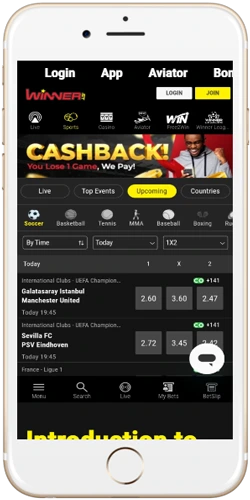
How to download and install the APK
Because the app is distributed as an APK rather than through Google Play, you need to allow installation from unknown sources before it will install. This is a standard Android setting — it does not affect your device security if the file comes directly from the verified partner link.
- Open your Android phone's Settings and go to Security or Privacy.
- Enable "Install unknown apps" for your browser or file manager.
- Visit the partner link and tap the APK download button on the app page.
- Once the download completes (file size is around 18–22 MB), open the file from your notifications bar.
- Tap "Install" and wait 20–40 seconds for the process to finish.
- Open the app, log in with your existing account or complete registration directly inside the app.
Players in Addis Ababa on a 4G connection typically finish the download in under 30 seconds. On a slower 3G connection in areas like Jimma or Bahir Dar, expect 90–120 seconds. The app does not require an account before installation — you can browse the sports markets and game lobby before deciding to register.
Get APK via PartnerWhat the app includes
The mobile app mirrors the full web platform without stripping features for the smaller screen. A few things actually work better in the app than in a mobile browser — live betting odds refresh noticeably faster, and push notifications alert you when a match you've bet on goes to extra time or a cashout offer becomes available.
Device and connection requirements
The app runs on Android 5.0 (Lollipop) and above, which covers the vast majority of Android phones sold in Ethiopia over the last six years. It does not require a flagship device — tested working on entry-level handsets with 2 GB RAM and 16 GB internal storage, common in the ETB 3,000–6,000 price range sold at Merkato market in Addis Ababa.
| Requirement | Minimum | Recommended |
|---|---|---|
| Android version | 5.0 (Lollipop) | 8.0 or later |
| RAM | 2 GB | 3 GB or more |
| Storage (free) | 150 MB | 500 MB |
| Connection | 3G / EDGE | 4G LTE or Wi-Fi |
| iOS support | Not available — use mobile browser on iPhone | |
iPhone users can access the full platform through Safari or Chrome on their mobile browser. The mobile web version is responsive and covers all the same features, though without push notifications. A Hawassa-based user on an iPhone 13 reported the mobile browser experience as comparable to the Android app for sports betting, with a slight lag on live crash game sessions.
Keeping the app updated
Since the app isn't distributed via Google Play, automatic updates don't happen. When a new version is released, a prompt appears inside the app directing you to download the latest APK from the partner site. The update process is identical to the original install — download, open the file, tap install over the existing version. Your account data, balance and bet history are not affected by updates.
Major updates tend to follow significant product changes — new payment integrations, a new game provider being added or changes to the live betting interface. Checking for updates every 4–6 weeks is reasonable if you use the platform regularly. The version number is visible under Settings inside the app.
Check Latest Version